February 13, 2026
Topcoder Member Onboarding CheckList


Here is the Topcoder Member onboarding checklist:
1.Topcoder Member Registration
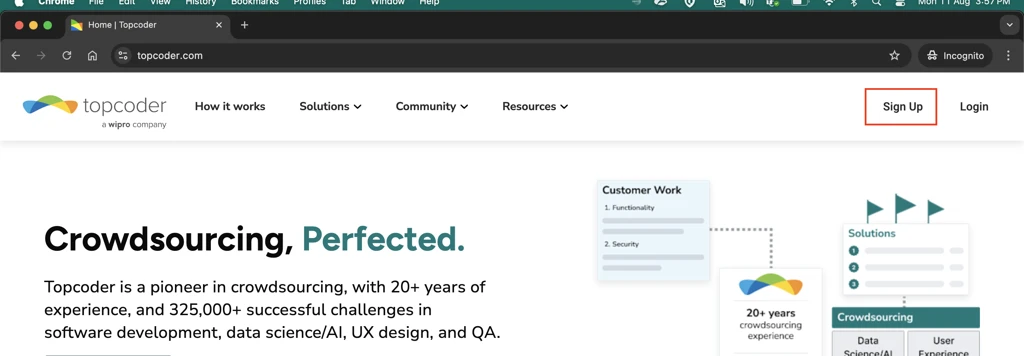
a. Visit topcoder.com and click on Sign Up button to proceed for account registration.
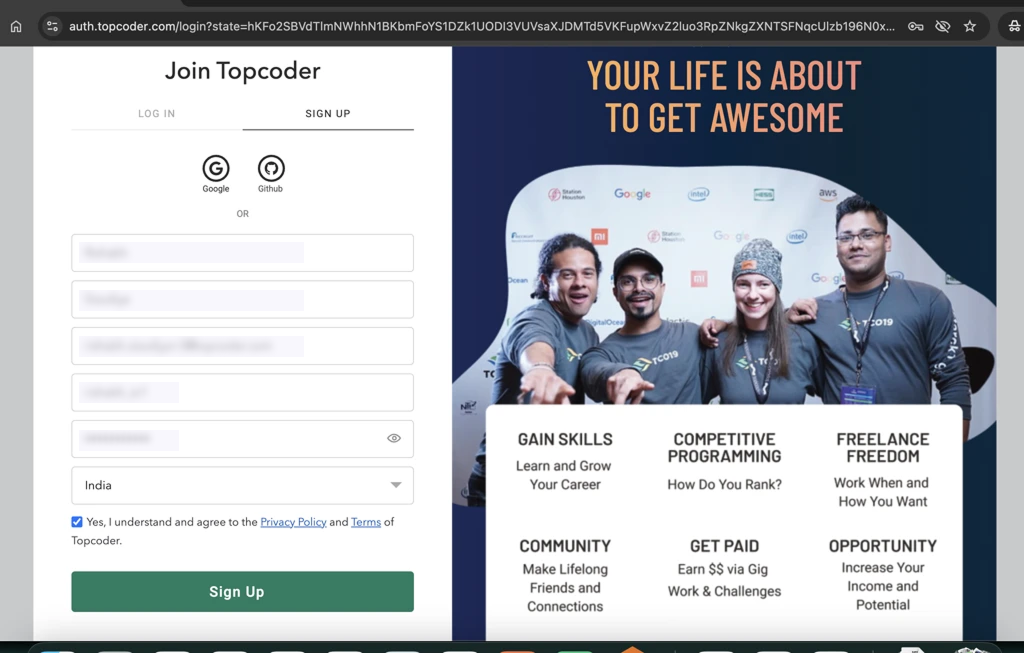
b. Fill in all required fields, check the agreement box, and click Sign Up.
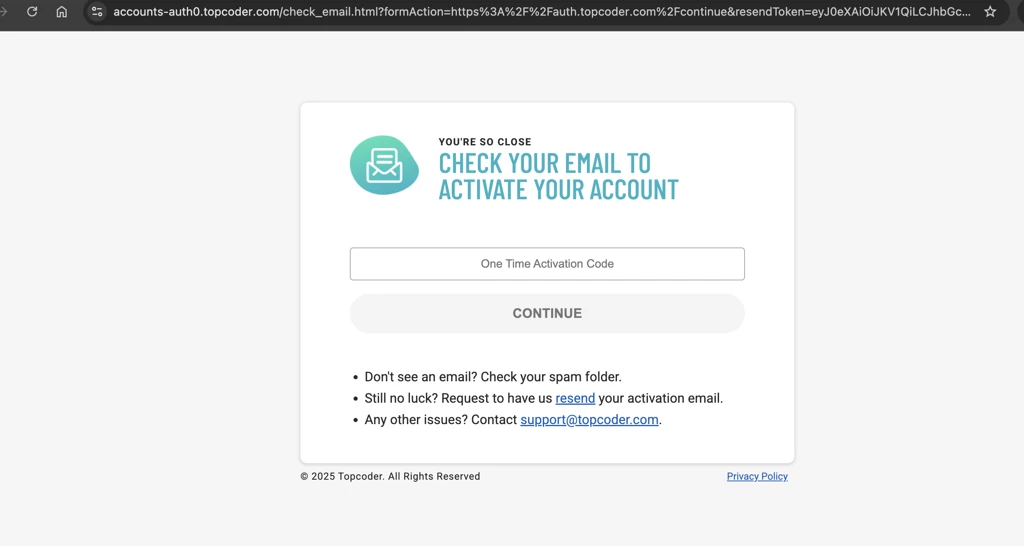
c. You will see the activation code on your entered email inbox, enter it on below screen and click on continue.
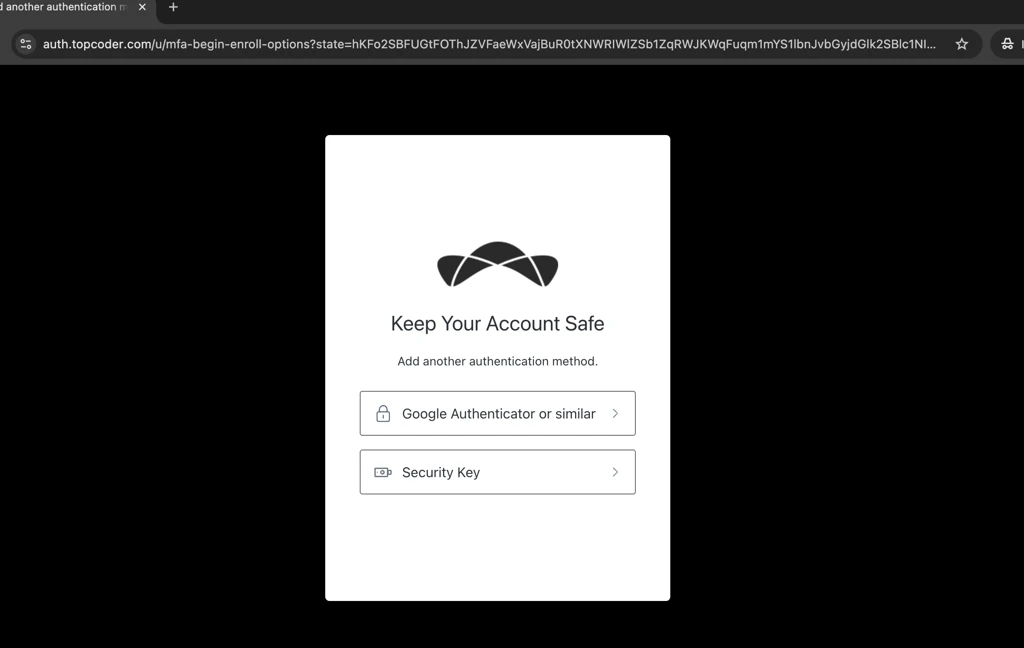
d. On next screen, you will redirected to set up MFA , Click on Google Authenticator or similar. Scan the QR code and enter the 6 digit code from the Authenticator App.
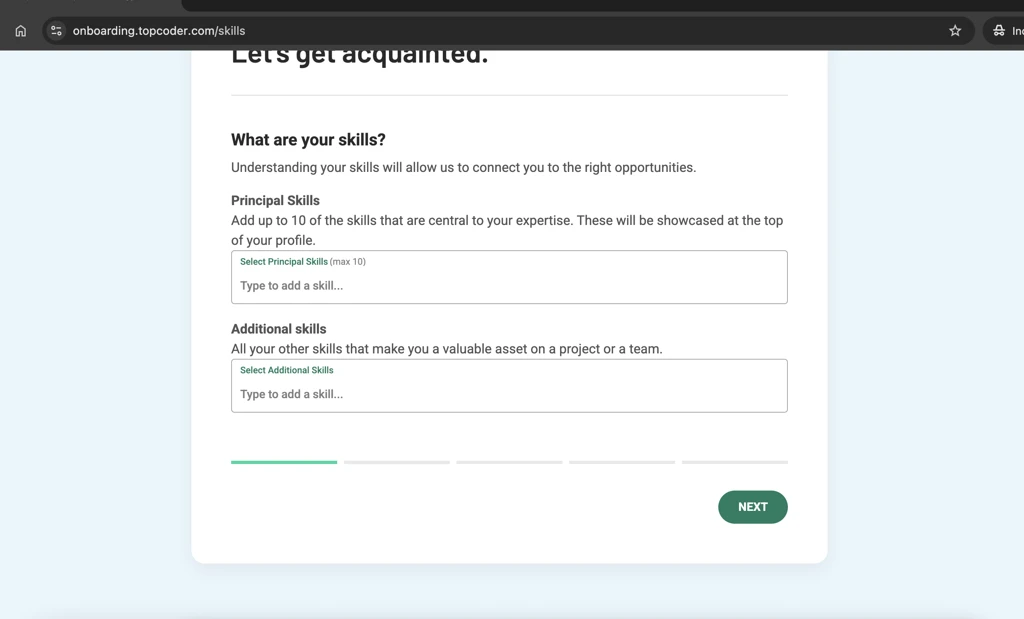
e. After setting up MFA, you will be redirected to Topcoder Top Technology Talent On-Demand to finalize your profile. Once you complete the profile, your account registration will be finished.
2.Complete the Non-Disclosure Agreement (NDA)
a. Visit the link: Topcoder Competition NDA, tick the checkbox and click on continue.
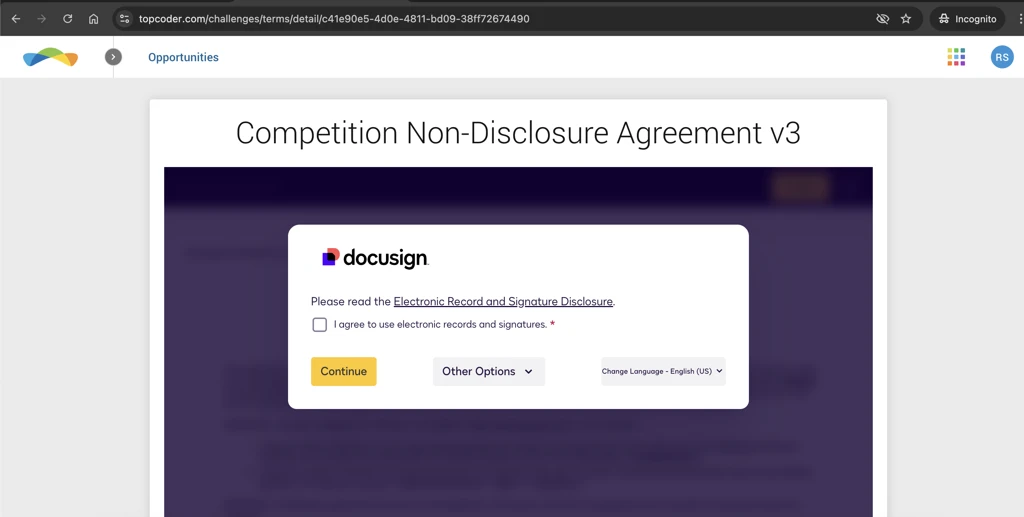
b.Scroll down to bottom, fill the address details and scroll down, click on Finish.
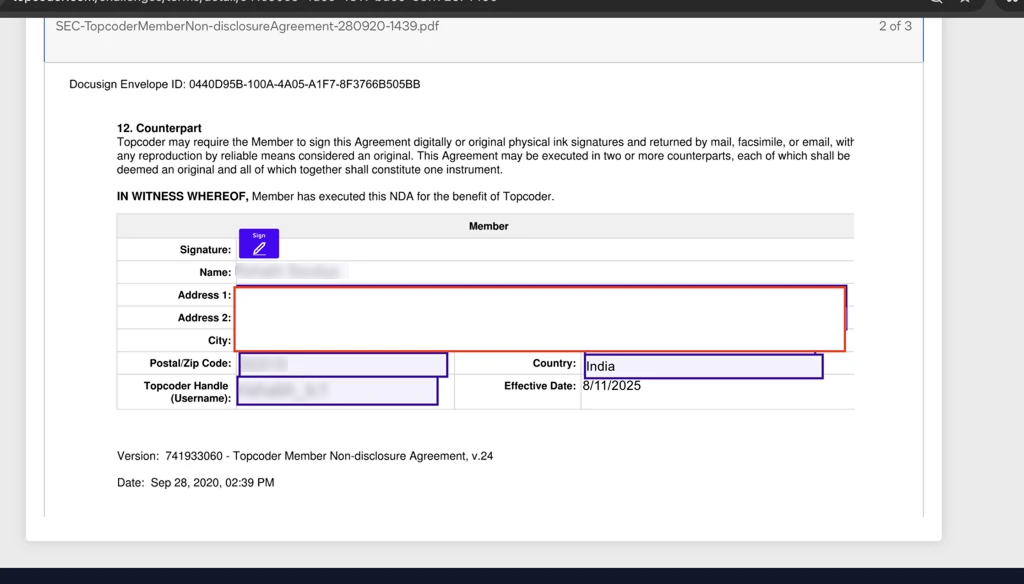
3.Agree to the Topcoder Standard Terms
a. Visit Topcoder Standard Terms.
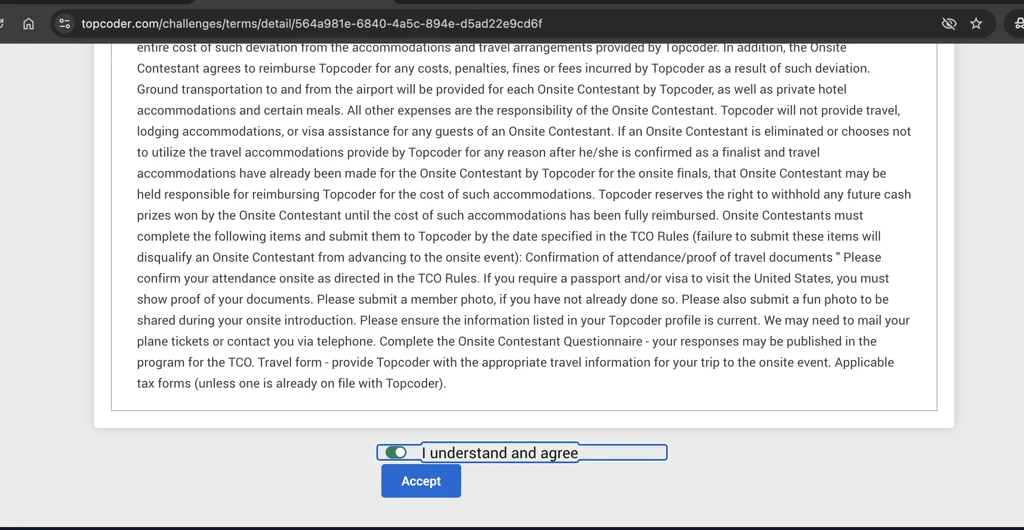
b. Review the terms, tick the checkbox, and click Continue to confirm your acceptance.
4.Set Up Wallet Payout Information
a. Navigate to the Wallet Payout section in your Topcoder account.
b. Update all fields under General Information.
i.Ensure that the details you provide are accurate and match exactly with the address information you will enter in your tax form.
ii.Based on your country of residence, the payout bank country will be automatically selected.
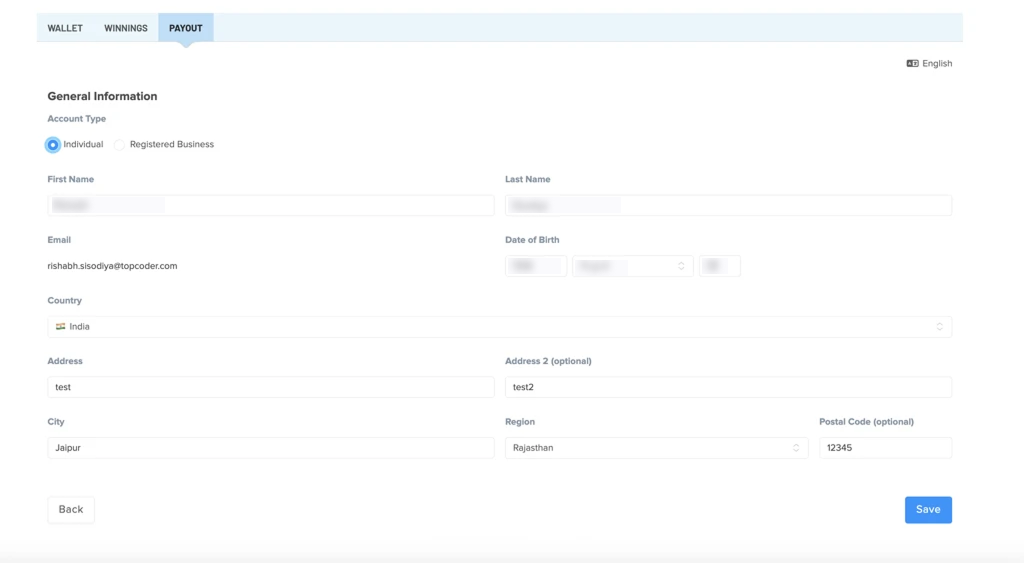
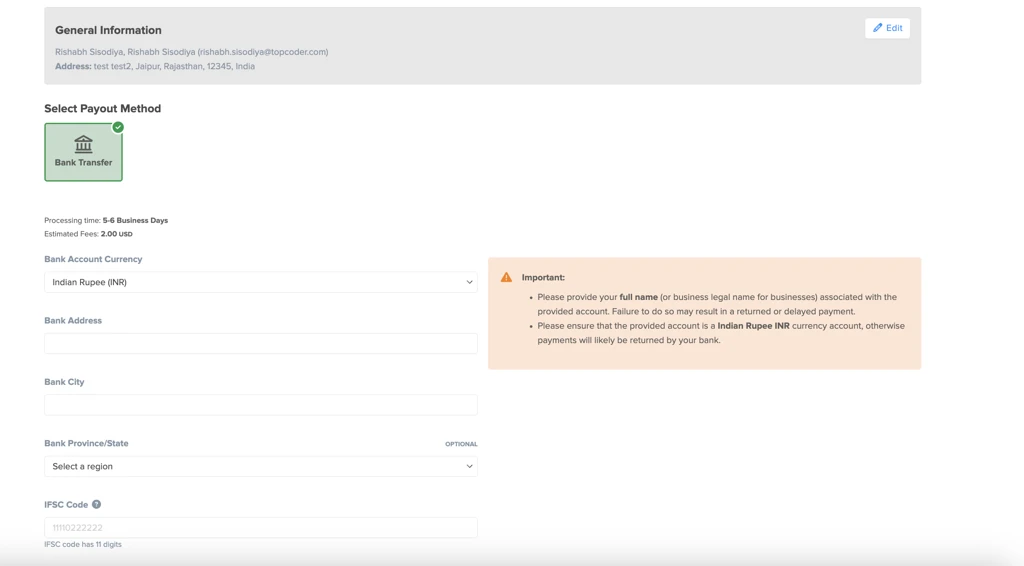
c. Once the general information is updated, proceed to Add Payout Method and fill in all required details.
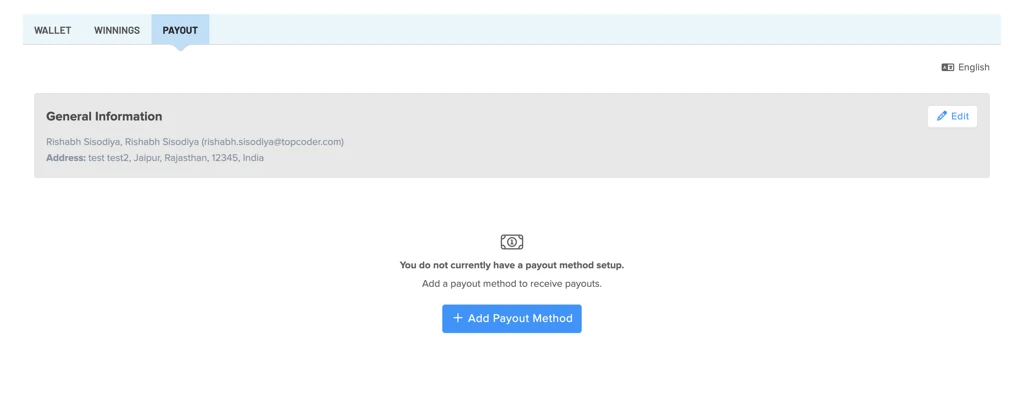
Note: The fields displayed may vary depending on your country.
5. Submit Tax Form
a. After successfully submitting your payout method, proceed to the Tax Form section.
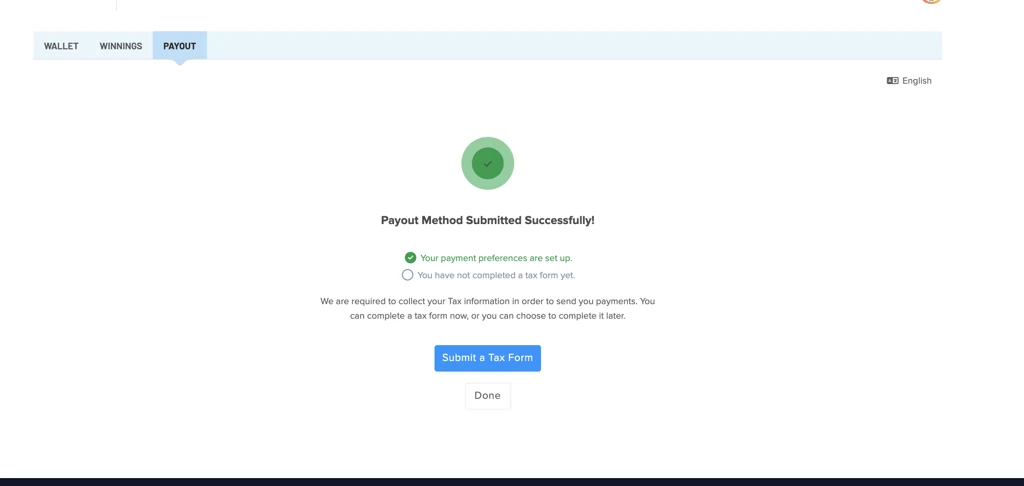
b. Select the appropriate options based on the information entered in General Information —these details must match.
c. The correct tax form type will be displayed automatically based on your selections.
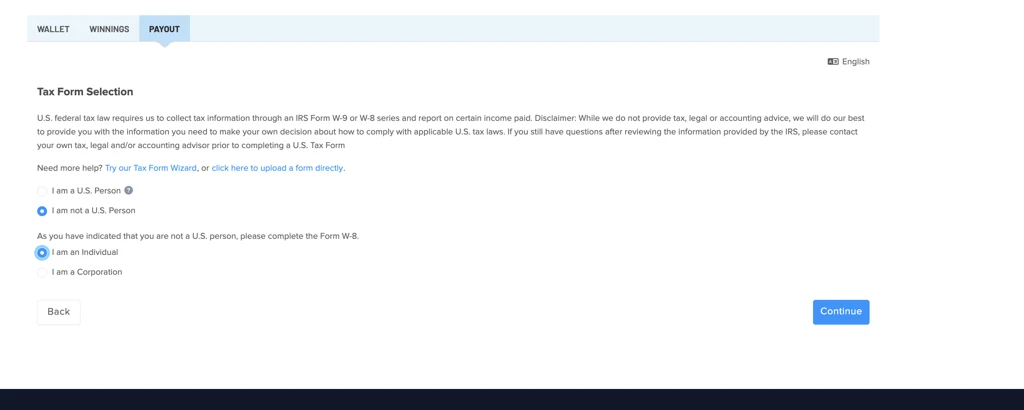
Note: Topcoder cannot provide tax advice for legal reasons. If you have questions about your tax form, please consult a qualified tax adviser
d. Click Continue, select the agreement checkbox, and click Certify to submit your tax form for approval.
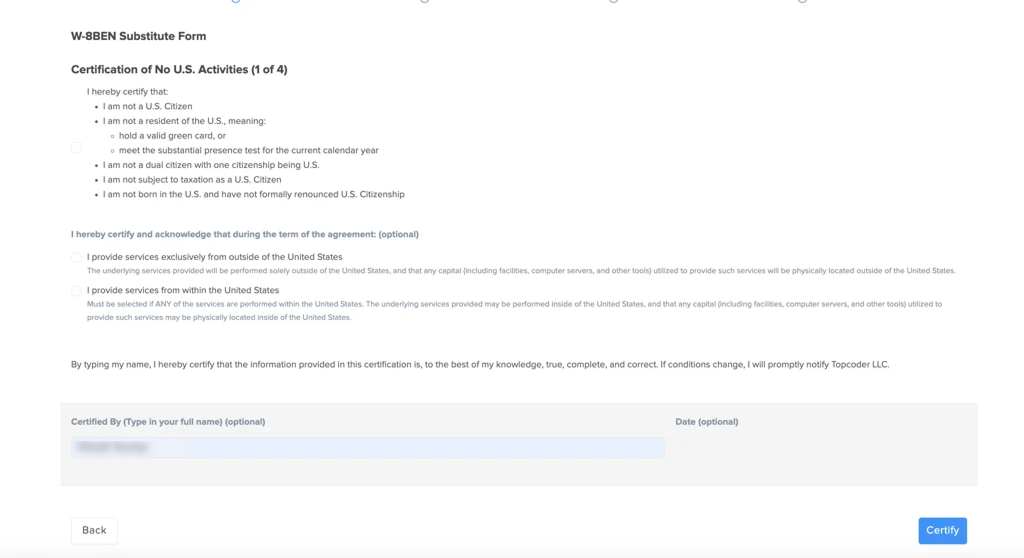
e. Once verified, the status will change to Reviewed.
If the status remains Submitted for an extended period, please contact Topcoder Support for assistance. (support@topcoder.com)
6.Complete Identity Verification
a. After your tax form is submitted, you can proceed to the Identity Verification step.
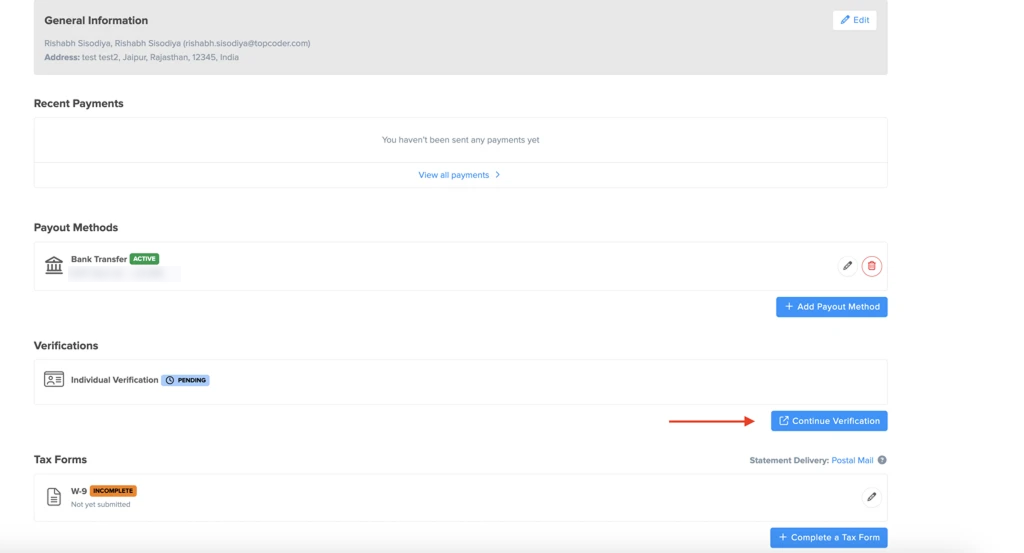
b. Upload a valid government‑issued ID.
i. Ensure that the name and address on your ID match the details provided in your earlier onboarding steps.
c. Complete the verification process as instructed on the screen.
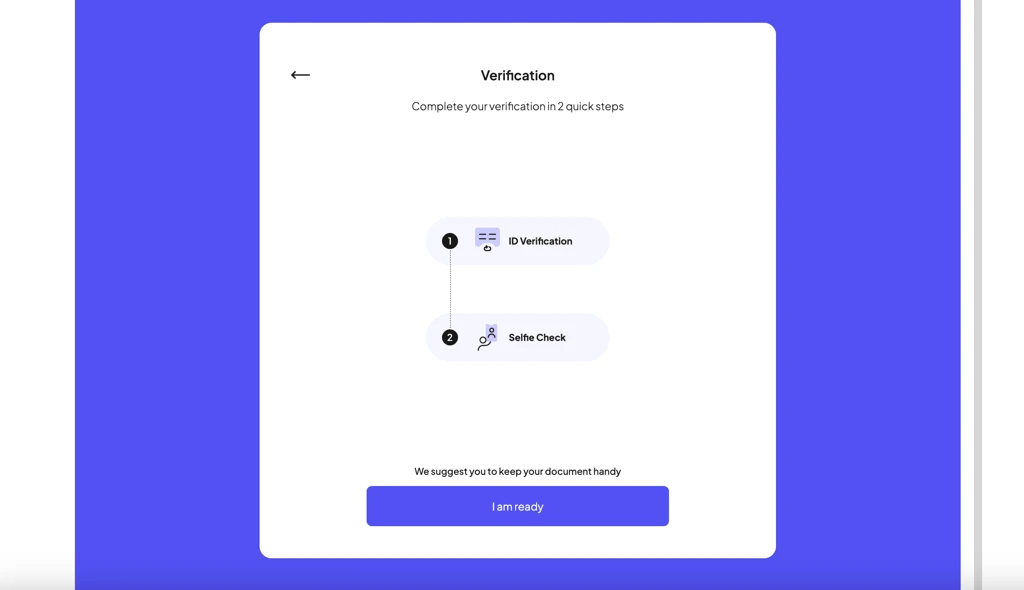
That’s it! Your onboarding is now complete.✅